Top 5 Video Editing Software Options for Every Budget
Choosing the right video editing software can significantly impact your production quality, regardless of your budget. Here are the top 5 video editing software options that cater to every financial plan, allowing both beginners and seasoned editors to create stunning visuals:
- Adobe Premiere Pro - A professional-grade software that offers advanced features for serious editors. It requires a monthly subscription but is worth the investment for its extensive capabilities.
- Final Cut Pro X - Exclusively for Mac users, this software offers powerful editing tools and a one-time purchase price.
- DaVinci Resolve - The free version provides a robust set of features, making it an excellent choice for anyone starting out.
- Camtasia - Ideal for beginners and educators, it offers a simple interface and is available for a one-time fee.
- HitFilm Express - A free software that combines video editing and visual effects, perfect for aspiring filmmakers.
How Video Editing Software Can Transform Your Content Creation Process
Video editing software has become an essential tool for content creators, enabling them to elevate their storytelling capabilities and engage audiences more effectively. With user-friendly interfaces and powerful features, these programs allow users to manipulate footage, enhance audio, and add captivating graphics. As a result, creators can produce professional-quality videos that stand out on various platforms, from social media to educational sites. This transformation not only improves the aesthetic appeal of the content but also boosts viewer retention and shares, leading to greater reach and impact.
Moreover, incorporating advanced video editing software streamlines the entire content creation process. Instead of spending hours on cumbersome manual editing, creators can utilize features such as automated color correction, sound synchronization, and intuitive timelines to save time and enhance productivity. By leveraging these tools, content creators can focus more on the creative aspects, like scripting and ideation, rather than getting bogged down by technical challenges. In this way, video editing software not only enhances the quality of the content but also inspires innovation and creativity in content development.
What Features Should You Look for in the Best Video Editing Software?
When searching for the best video editing software, it’s essential to consider several key features that can significantly enhance your editing experience. Ease of Use is one of the top factors; a user-friendly interface can make a world of difference, especially for beginners. Additionally, look for support for multiple formats such as MP4, MOV, and AVI, which ensures compatibility with various devices and platforms.
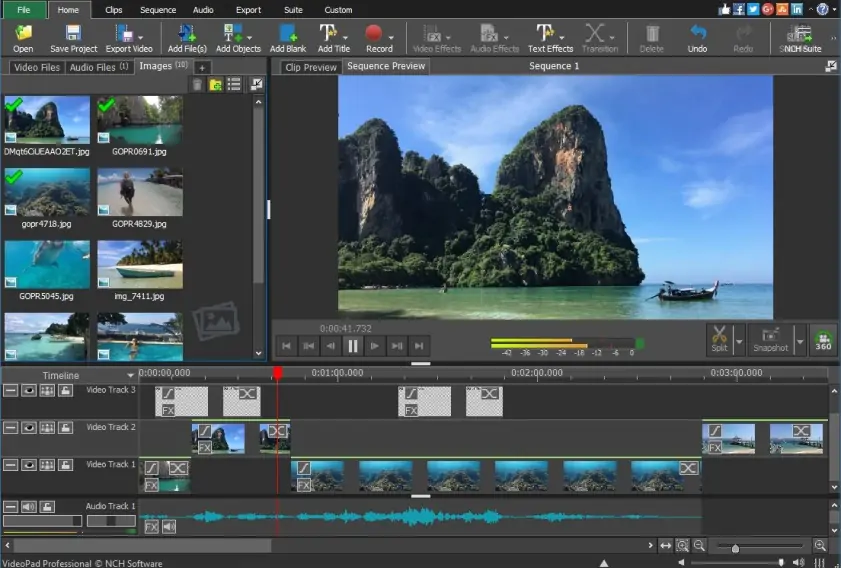
- Advanced Editing Tools: Features like multi-track editing, color correction, and special effects.
- Export Options: Various resolutions and formats for sharing.
- Audio Editing: Built-in tools for adjusting sound quality and adding effects.
Another critical aspect to consider is customer support. In case you face any technical difficulties, having readily accessible support can save you time and frustration. Look for software that offers frequent updates and new features, as this indicates a company's commitment to enhancing their product. Furthermore, it's beneficial to read reviews or watch tutorials to gauge the user experience and discover unique features that can suit your specific needs. Ultimately, choosing the right video editing software with these features can elevate your content creation process.